List × Timeline

ColorQueueList

List × Timeline Task Planner

Instant list entry for rapid task capture, plus a timeline view to visualize your day. Two powerful views, one seamless workflow.

100% Offline
Privacy First
No Account Needed
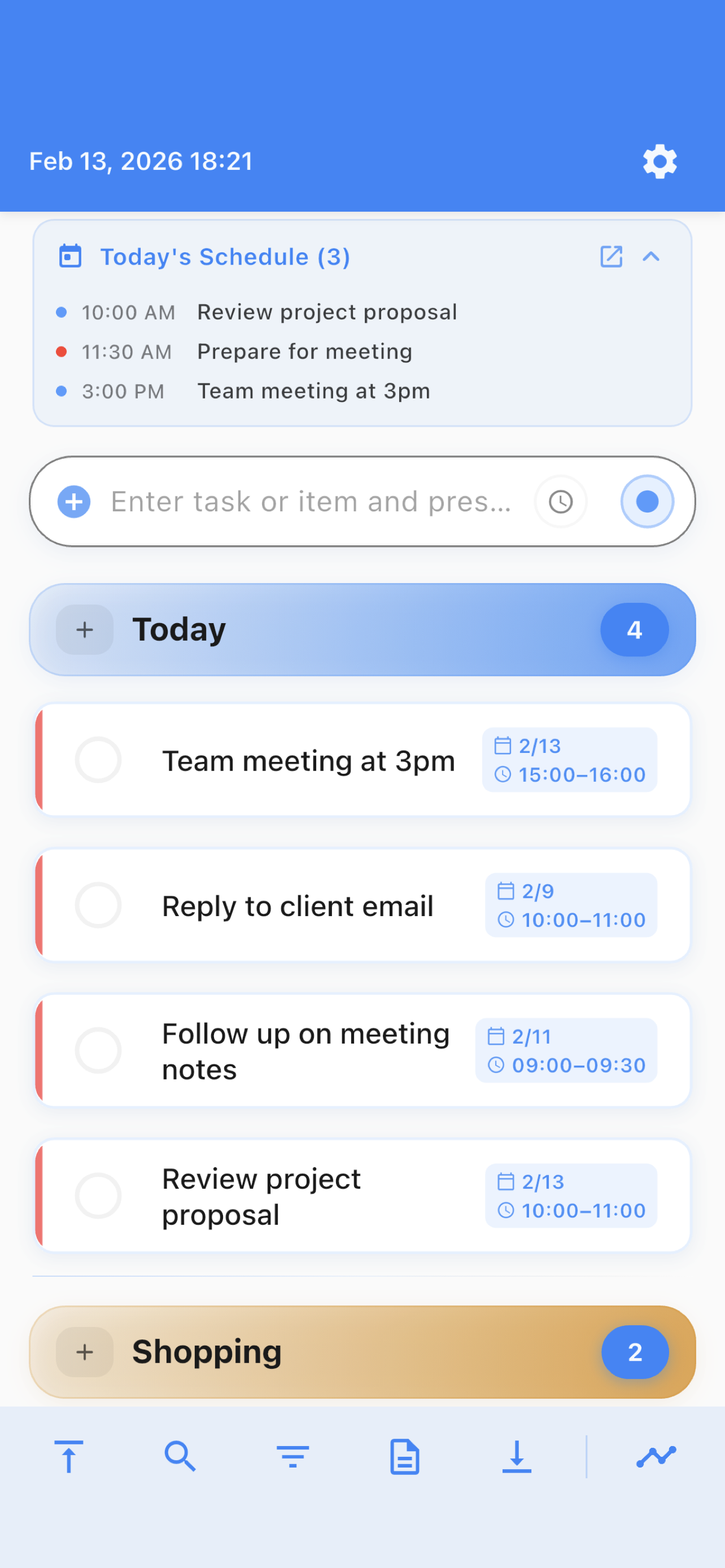
ColorQueueList App Screenshot

Capture Tasks at Lightning Speed

The List view is designed for one thing: getting tasks out of your head and into your list as fast as possible.

Instant Entry

Type and press Enter. That's it. Your thought becomes a task in under a second. No menus, no friction, no wasted time.

🎨

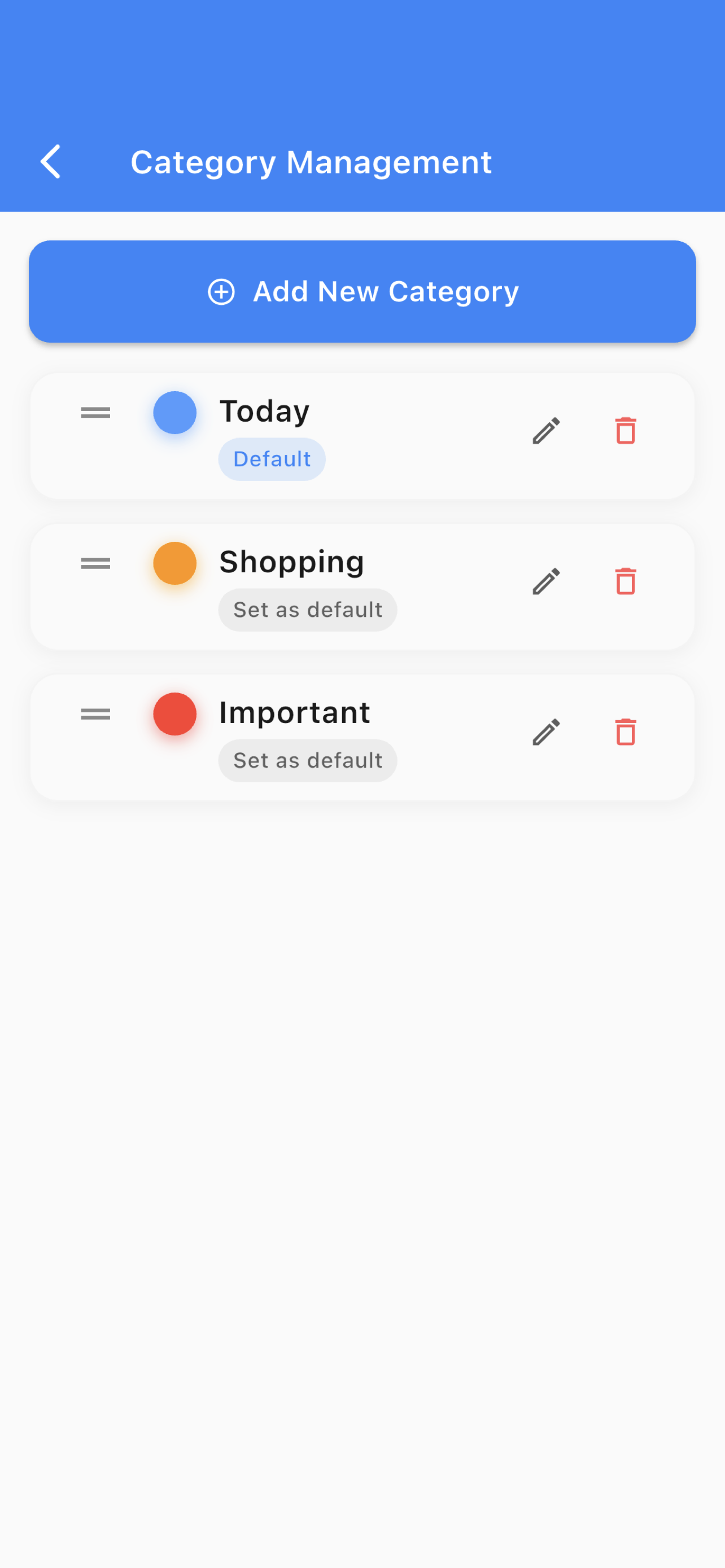
Color Categories Pro

Organize visually with color-coded categories. Free users get 5 editable categories. Pro unlocks unlimited categories.

Tap Complete & Auto-Clean

Tap to complete tasks instantly. Completed items fold automatically and are deleted after 7 days. Your list stays focused.

👆

Swipe Actions

Swipe right to change category, left to delete. Intuitive gestures make management effortless.

📋

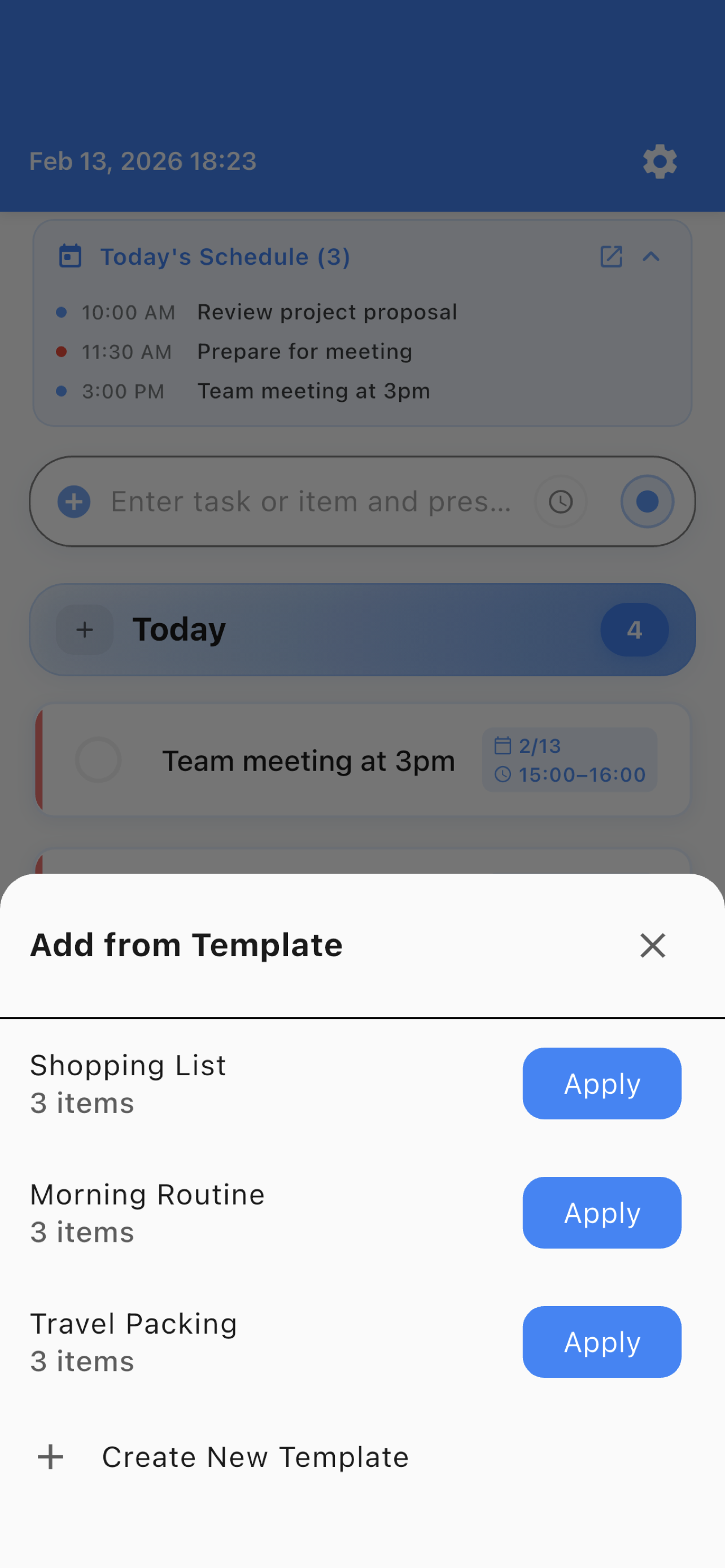
Templates Pro

Save time with reusable task sets. Perfect for weekly shopping, travel packing, or project checklists.

🔍

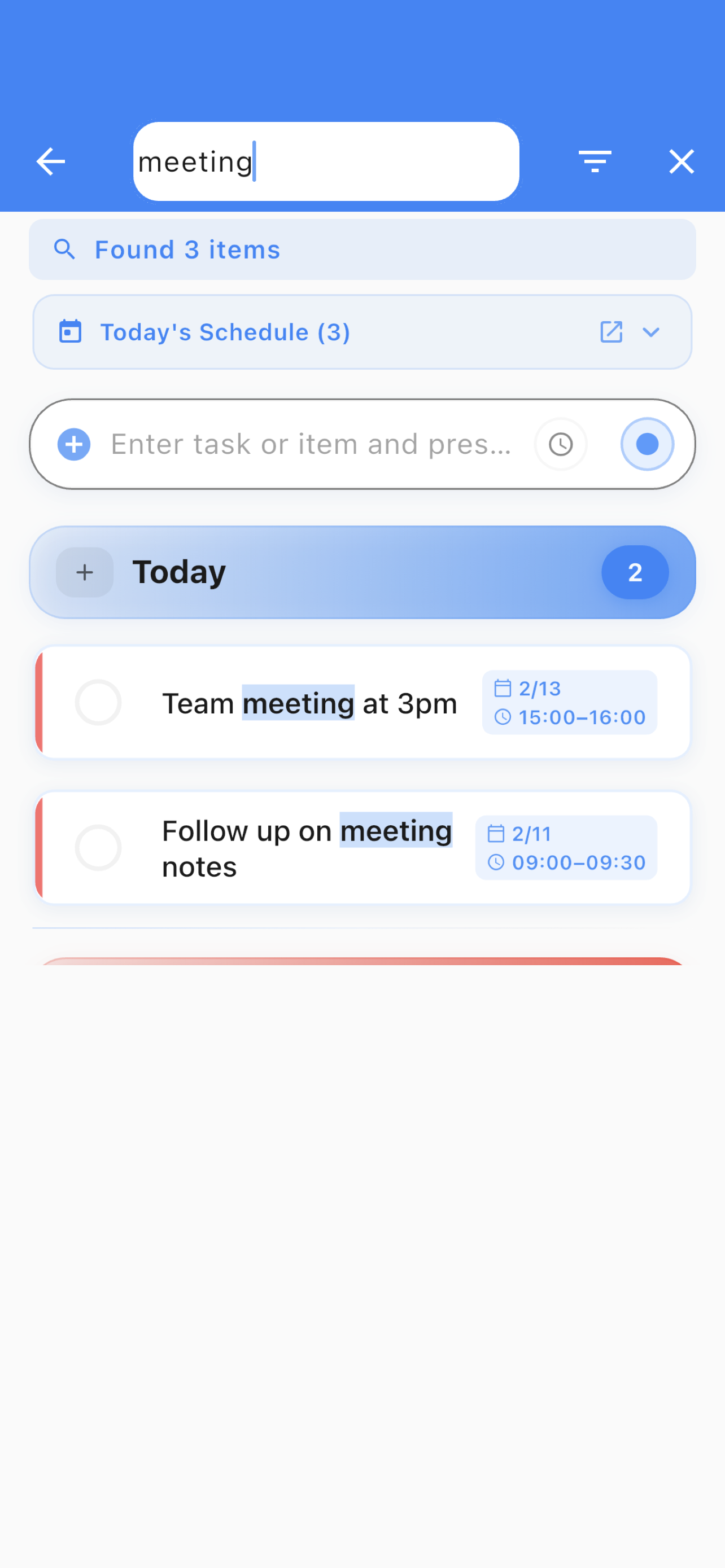
Search & Filter Pro

Find any item instantly. Filter by category or status. Never lose track of anything again.

Visualize Your Day on a Timeline

The Flow view transforms your tasks into a visual timeline. Plan your day, week, and month with clarity.

📅

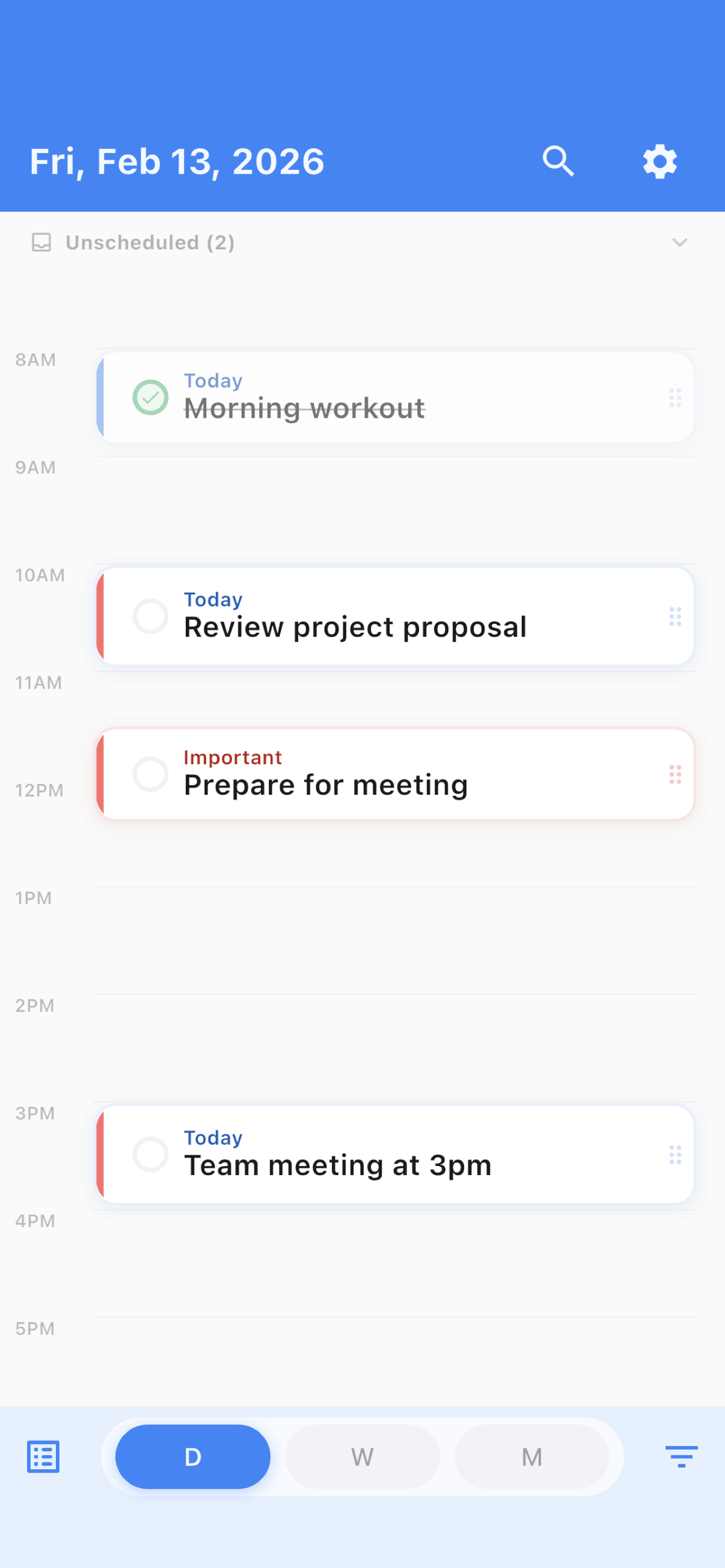
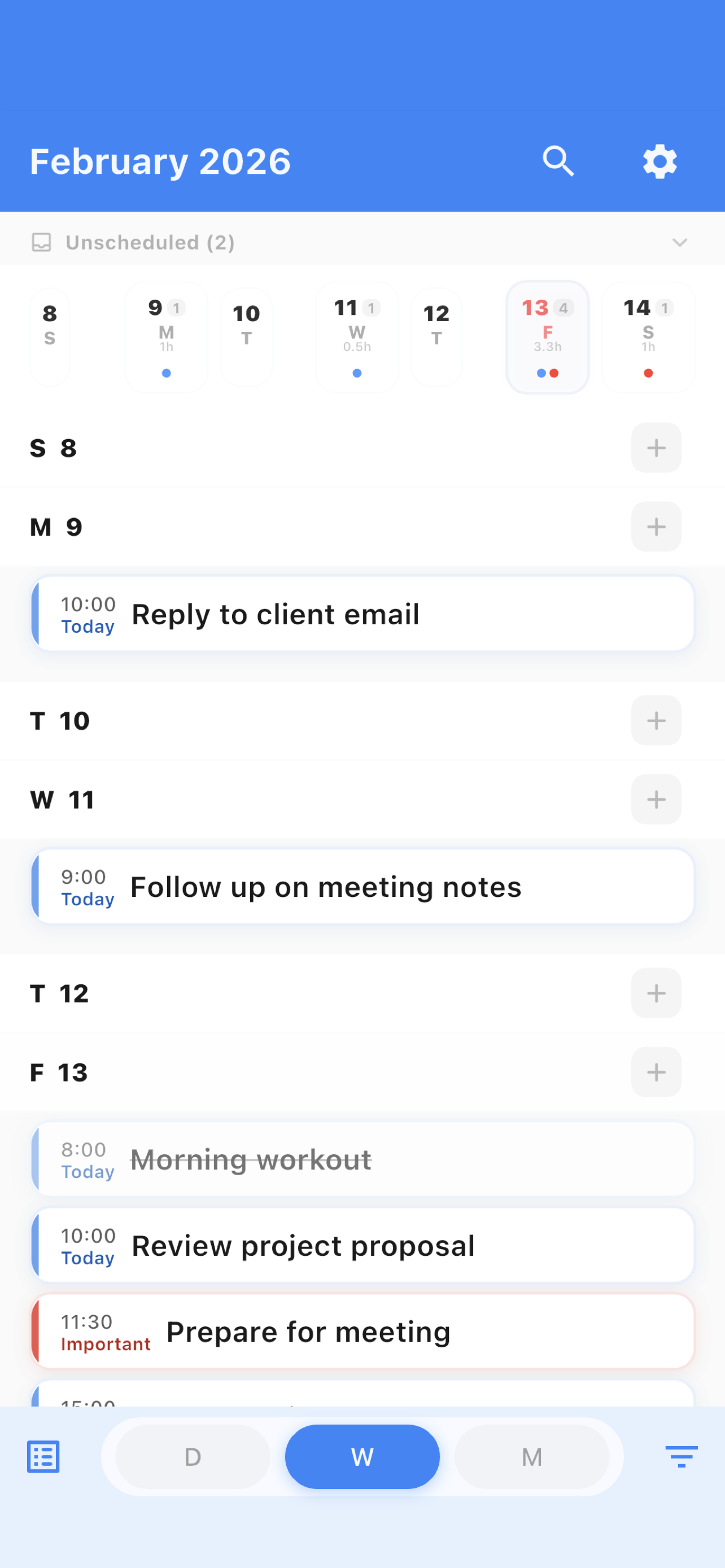
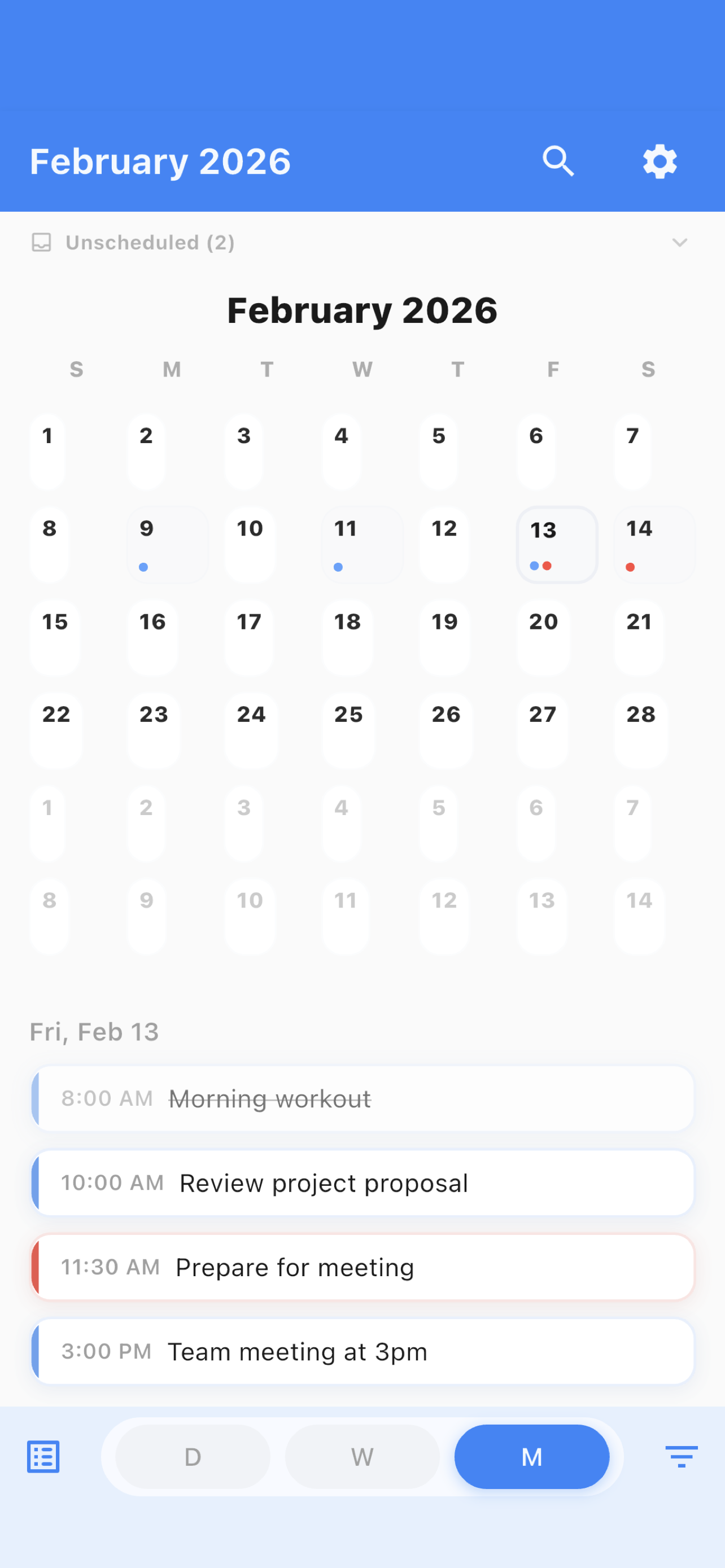
Day / Week / Month Views

Three timeline perspectives for complete planning. Day view for hourly detail, week for overview, month for the big picture.

🔄

Recurring Tasks

Set tasks to repeat daily, weekly, or on custom schedules. Manage individual instances or update the entire series.

🔔

Reminder Notifications

Never miss a task. Set reminders at custom intervals before your scheduled time.

🔗

List ↔ Flow Navigation

Jump between List and Flow views seamlessly. Tap a scheduled task in List to see it on the timeline, or find it in your list from Flow.

📊

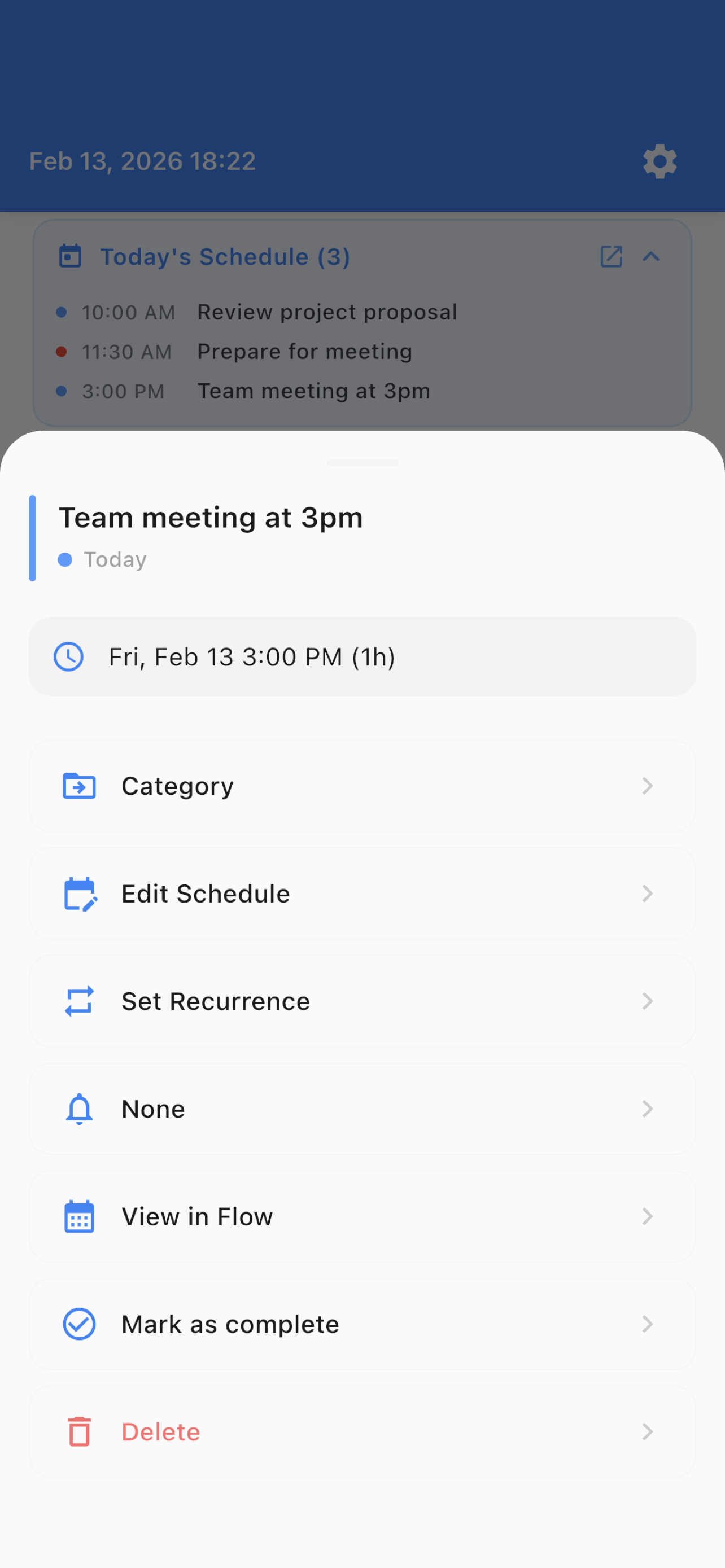
Task Detail Sheet

View and edit all task details in one place. Schedule, recurrence, reminders, and quick actions at your fingertips.

Workload & Time Display

See your daily workload at a glance. Time conflict warnings help you avoid overbooking.

Free vs Pro

Core features are free. Upgrade to Pro for power features that take your productivity to the next level.

Feature
Free
Pro
Instant Entry
Color Categories
5 editable
Unlimited
Custom Category Names & Colors
Flow View (Day/Week/Month Timeline)
Recurring Tasks
Reminder Notifications
Templates
3
Unlimited
Search & Filter
Data Backup (Export/Import)
Color Themes
Default
All Themes
Auto-Clean (7-day delete)
Dark Mode
Swipe Actions

See It In Action

List and Flow — two views working together.

Home Screen

Home Screen

Instant Entry

Instant Entry

Completed List

Completed List

Templates

Templates

Categories

Categories

Flow Day View

Flow — Day View

Flow Week View

Flow — Week View

Flow Month View

Flow — Month View

Task Detail

Task Detail

Search & Filter

Search & Filter

Two Views, One Mission

List for speed, Flow for clarity. ColorQueueList combines rapid task capture with timeline visualization — no bloat, no complexity.

Speed First

Capture your thought before it escapes. List view is pure speed — type and go.

👁️

Visual Clarity

Flow view turns your tasks into a timeline. See your day, spot conflicts, plan with confidence.

🔒

Privacy Matters

Your tasks stay on your device. No accounts, no cloud, no tracking. Ever.

Ready to Plan Your Day?

Download ColorQueueList and experience the power of List × Timeline task planning.